tilauscope_fork
Devices
!!! abstract “Artisan does / TilauScope adds” Artisan does — sets what reads the roaster, its extra devices and its ambient sources in one large dialog built for every machine and every sensor family, applying most changes as they are clicked.
**TilauScope adds** — the part of that dialog a home roaster uses, in three tabs: what reads
the roaster, the [extra devices](/glossary.html#extra-device) behind the counters, and where
room conditions come from. Nothing is written until **Save**; **Cancel** leaves everything as
it was.
Open it from TilauScope → Devices…. The entry is greyed out while the roaster is being read: devices can only change while nothing is sampling them.
What the window does not cover — the connection of a Modbus or network meter, Phidget options, formulas and curve colours — stays in Artisan’s own device settings, one button away from the tab that needs it.
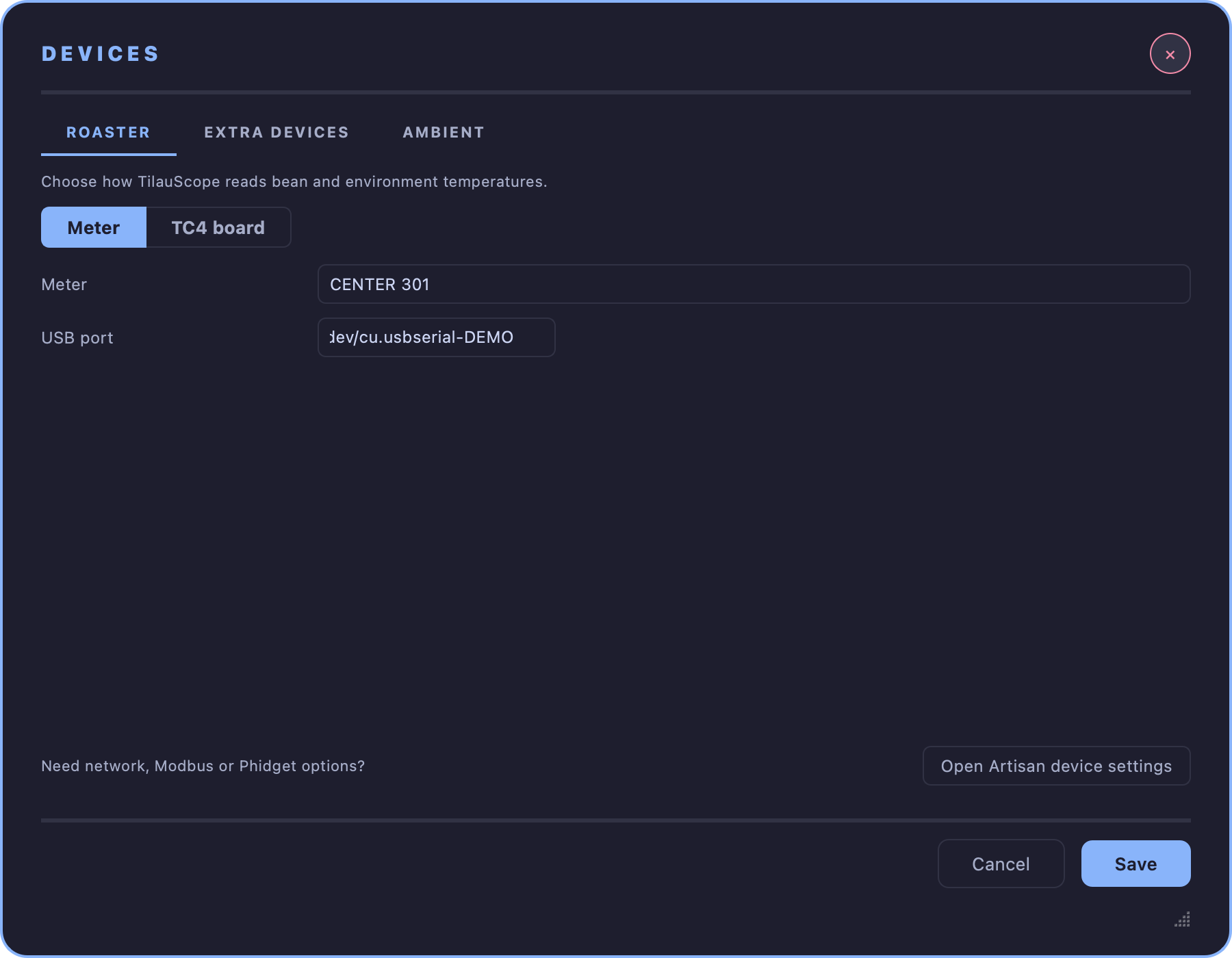
ROASTER — what reads the temperatures
Choose Meter or TC4 board.
Meter is a list of every meter Artisan supports, with TilauScope’s own roaster links first. What appears under it depends on the meter chosen:
- a Bluetooth roaster link (Skywalker V2, SkyCommand V1) needs no port — which link to use is chosen in Configuration → SENSORS;
- a meter on a USB cable shows USB port, listing the ports found on this computer;
- a Modbus, S7 or WebSocket meter shows Open Artisan port settings, where its connection is set.
Choosing the meter already in use keeps the connection settings it has.
TC4 board shows the USB port, the board channel each probe is wired to — bean temperature, environment temperature and the board’s own ambient sensor — and Board runs PID firmware. Signal smoothing per channel is folded away: the defaults suit most boards.
If the roaster is read through a PID controller or an external program, neither option is lit and the window says so. Nothing changes unless Meter or TC4 board is chosen.
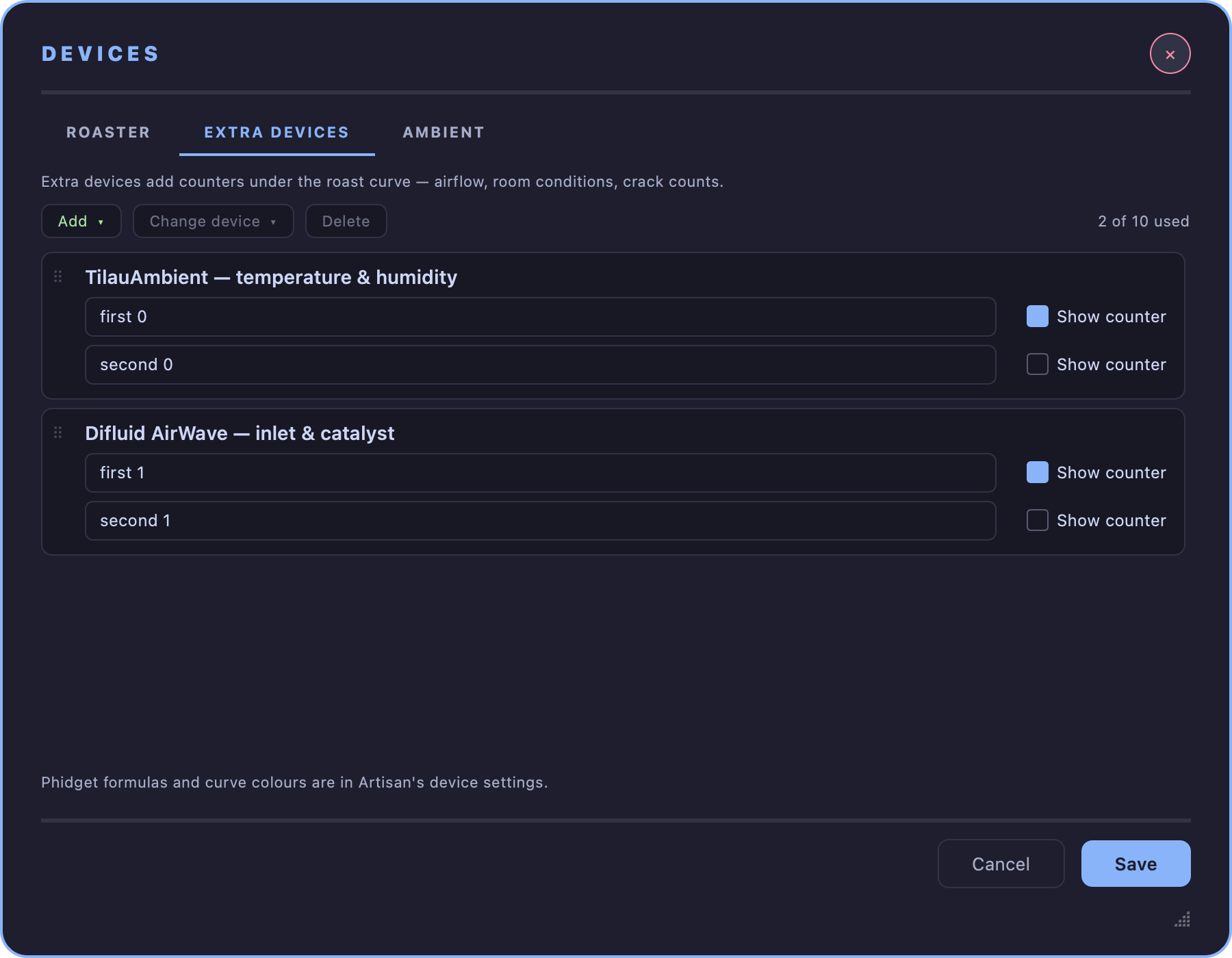
EXTRA DEVICES — the counters under the curve
The tab works like the alarm editor: the commands in the bar at the top act on the selected card, and a card is moved by dragging its grip (⠿).
Each extra device is a card: its name, then one line per reading it provides — the name shown on its counter, and Show counter to put that reading in the extra counters row. Clicking a card selects it.
- Add ▾ groups what can be added by use — TilauScope hardware, roaster controls, TC4 board channels, network sensors and calculated channels — and Other Artisan device… searches every extra device Artisan knows. Each addition starts with the reading names TilauScope expects. Ten devices fit; the count is shown at the end of the bar.
- Change device ▾ says what the selected card really is. The readings already recorded through it and the names you typed stay as they are; only a reading still carrying a placeholder name takes the new device’s name.
- Delete removes the selected card.
Dragging a card moves its recorded readings with it. The order of the cards is the order of the counters.
An alarm, or a slider set to follow a reading, keeps watching that reading when cards are dragged or deleted. One watching a reading of a deleted device is switched off when you save.
Formulas, written in Artisan’s device settings, keep using the same readings when cards are dragged or deleted. Delete refuses a device whose readings a formula still uses and names that formula: change the formula first. Artisan calculates the cards from the top, so a card whose formula uses a reading that has its own formula belongs below that reading’s card — a card placed above it says so.
When the PID regulates on a reading of an extra device, it keeps that reading when cards are dragged, and Delete refuses that device until another PID input is chosen.
Some names do more than label a counter. A reading named for the crack count is the one automatic first-crack detection listens to: the card says Used for first crack detection under that name, and warns if an edit makes it lose that role.
Each reading has a name of its own. A name another reading already carries — capitals and spaces around it do not count — is flagged under it with the card that has it, and Save refuses to save until one is renamed. The names Artisan gives a reading it knows nothing about (Extra 1, Extra 2) are not names, and may repeat.
TilauAmbient pressure and altitude are read through its temperature and humidity device, so that card has to sit above them. Adding pressure adds temperature and humidity first, deleting temperature and humidity deletes pressure too after asking, and a pressure card dragged above them says it reads nothing.
!!! tip “A roast whose devices look wrong” A roast saved by an older version can open with its extra devices showing the wrong type: the readings are right, but a card carries another device’s name. Select each such card, give it its real device with Change device, save, then save the roast itself so the file keeps the corrected devices.
Settings — the ones TilauScope keeps between sessions, settings files (.aset) and machine presets — remember which TilauScope device the meter and each extra device are, so they open with the right devices after an update renumbers them. Settings saved by an older version cannot: if the meter or a card shows the wrong device after loading them, give it its real device, save, and save the settings once; they open correctly from then on.
Removing a device that has readings in the roast currently open removes those readings as well; Save asks before doing it.
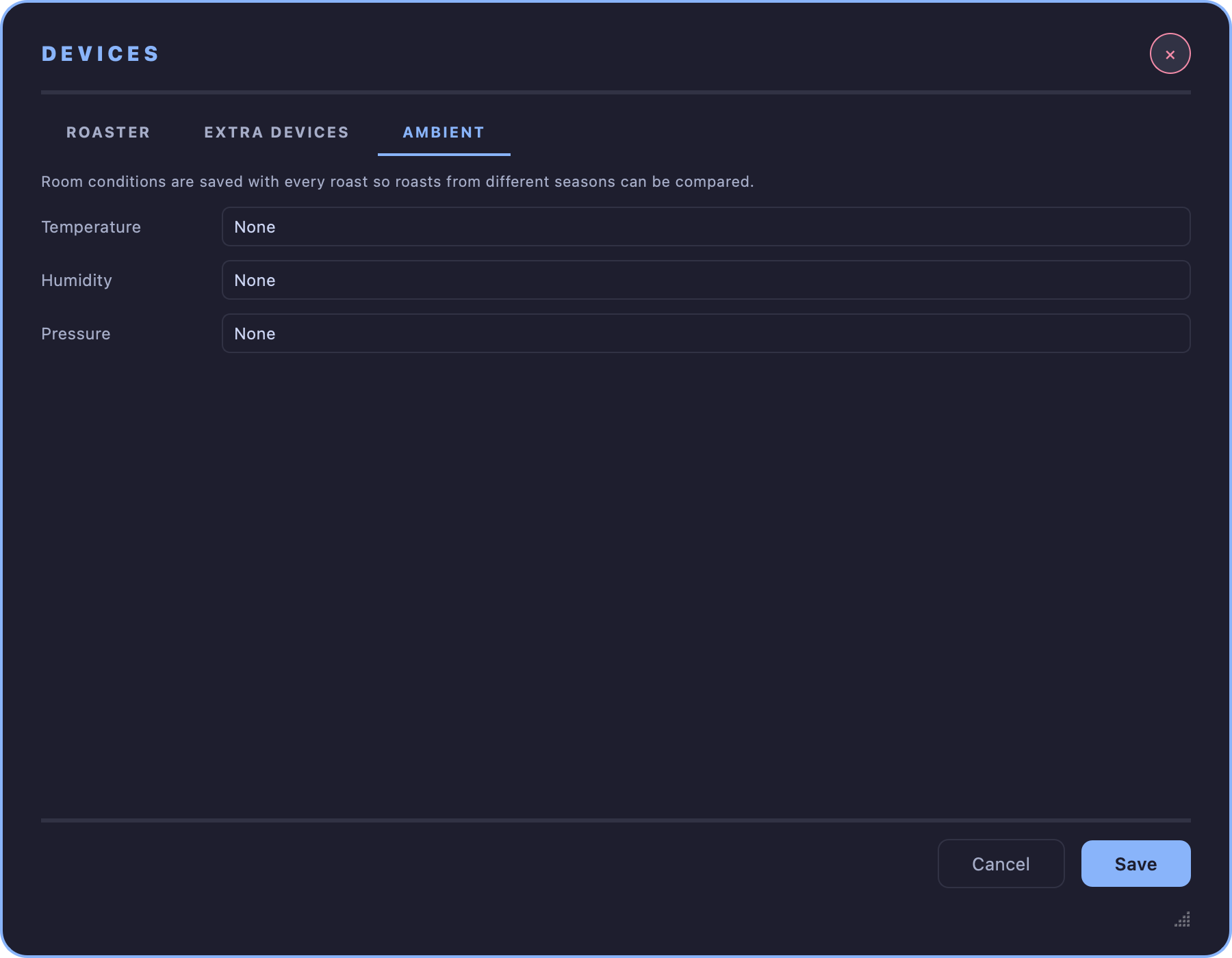
AMBIENT — where room conditions come from
Room temperature, humidity and pressure are saved with every roast, so roasts from different seasons can be compared. Each is taken from one reading of an extra device, or from none.
When a TilauAmbient probe is paired, Use it for temperature, humidity and pressure sets all three in one step and adds the devices it needs.
A reading Artisan takes from a sensor of its own — a Phidget or Yocto humidity or pressure sensor — is shown as set in Artisan’s device settings, and left as it is.
Next
- Pairing the Bluetooth devices themselves: see Configuration.
- What each device adds: see Hardware and peripherals.
- Any unfamiliar term: see the Glossary.