tilauscope_fork
Sacks, stock and conservation
!!! abstract “Artisan does / TilauScope adds” Artisan does — nothing here. Green coffee inventory and its keeping condition are outside Artisan’s scope entirely.
**TilauScope adds** — a guided way to bring a new bag into the catalogue, physical
labels that identify a bag and can move between bags as they empty, and a
[water activity](/glossary.html#aw--water-activity) dashboard that says which bags need
attention before they spoil.
This chapter covers the New sack assistant, sack labels and how they are managed, and the Storage tab in BeanCave. Printing a label physically, and scanning one to open a record, are covered in the next chapter — this one covers what a sack label is and what it tracks.
Bringing a new bag in: the “New sack” assistant
+ New bean, at the top of the catalogue beside the search, opens the New sack assistant, a short wizard for the three situations a new bag actually represents: a coffee never seen before, more of a coffee already on the shelf, or the same coffee’s next harvest.
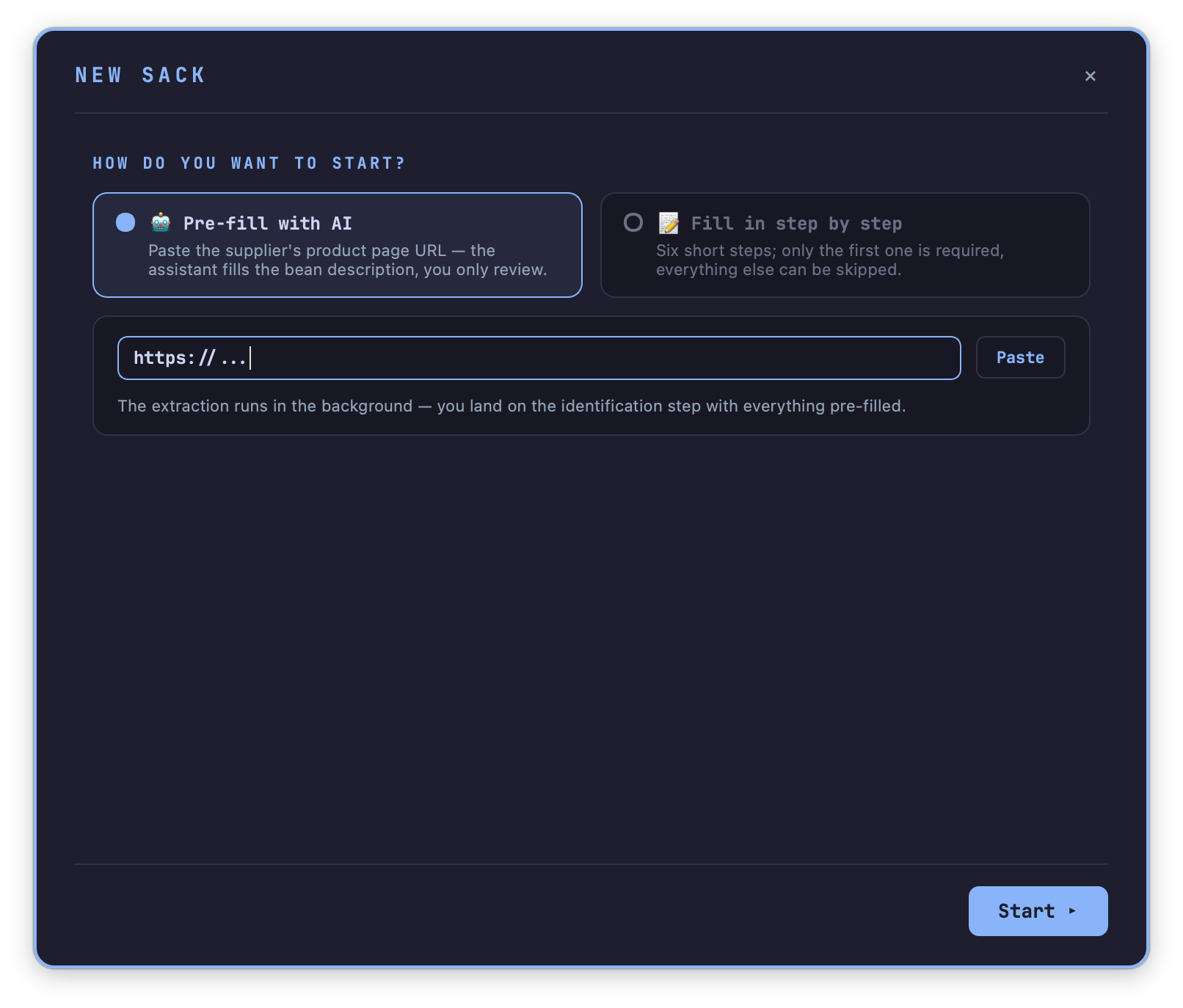
Start. Either paste a supplier page URL and let AI fill in what it can, or go step by step by hand. The AI path lands on the same review screen as the manual one — it is a head start, not a shortcut that skips checking.
!!! note The AI option needs an AI provider configured first — see Configuration. Without one, the card is present but disabled.
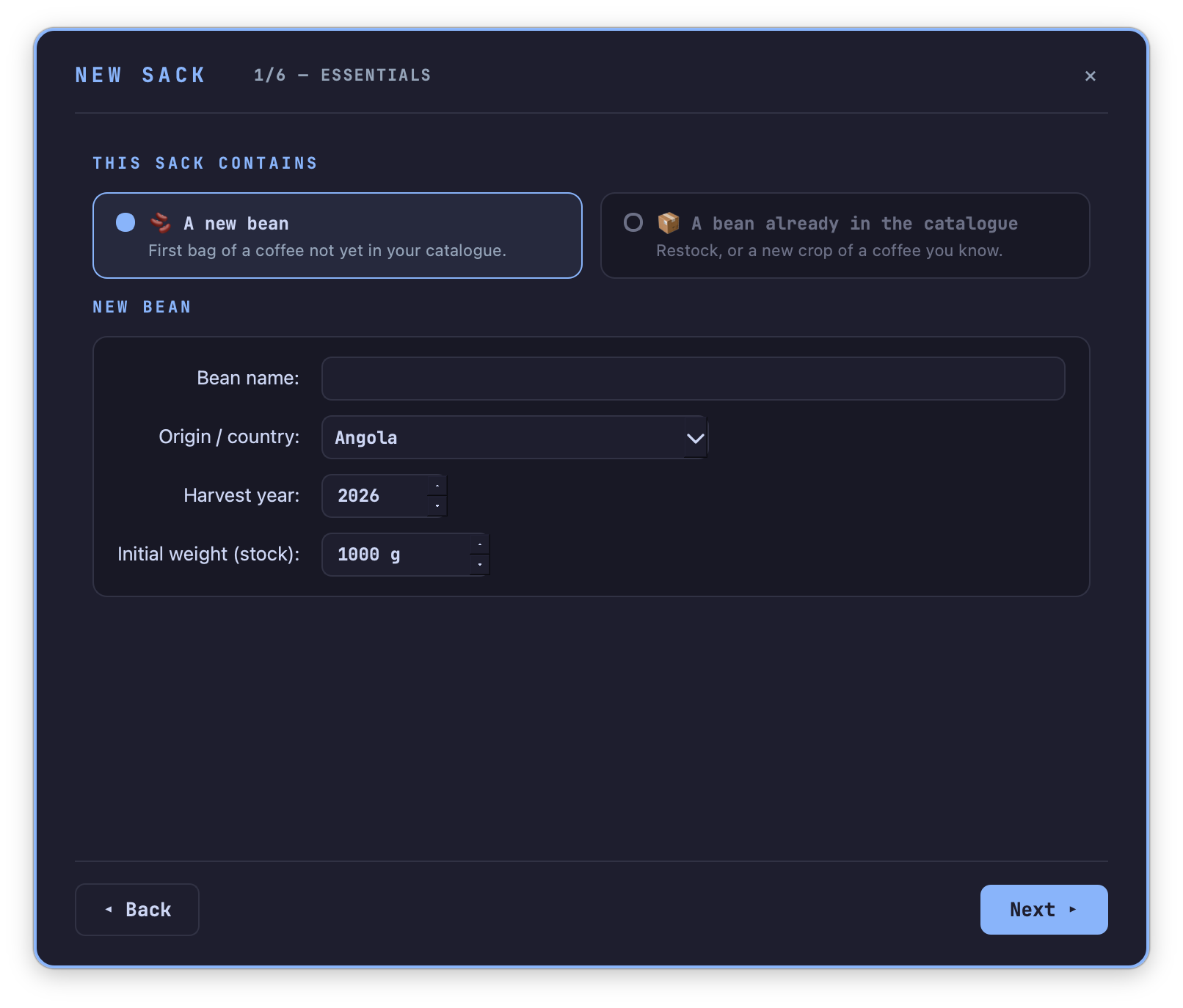
What kind of bag is this. The question is asked outright, not guessed from the name:
| Choice | What it asks for | What happens |
|---|---|---|
| A new bean | Name, origin, harvest year, starting weight | A new coffee record is created. |
| Restock — same crop | Which existing coffee, added weight | The weight is added to that coffee’s stock. Nothing else changes. |
| New crop of the same bean | Which existing coffee, then the New crop step below | A new coffee record is created, inheriting the identity of the previous crop. |
Weight can be typed in or captured live from a paired scale, the same way it is throughout TilauScope.
Restock skips straight past provenance, characteristics and sensory notes to the review screen — a restock has nothing new to describe.
New crop has a step of its own, described in the next section.
Sack identification is the one step that can always be skipped. Give the bag a label id now — recycled ids are offered first, then ever-printed-but-unused ones — or leave it and attach a label later. A duplicate id is flagged before it can be reused by two bags at once.
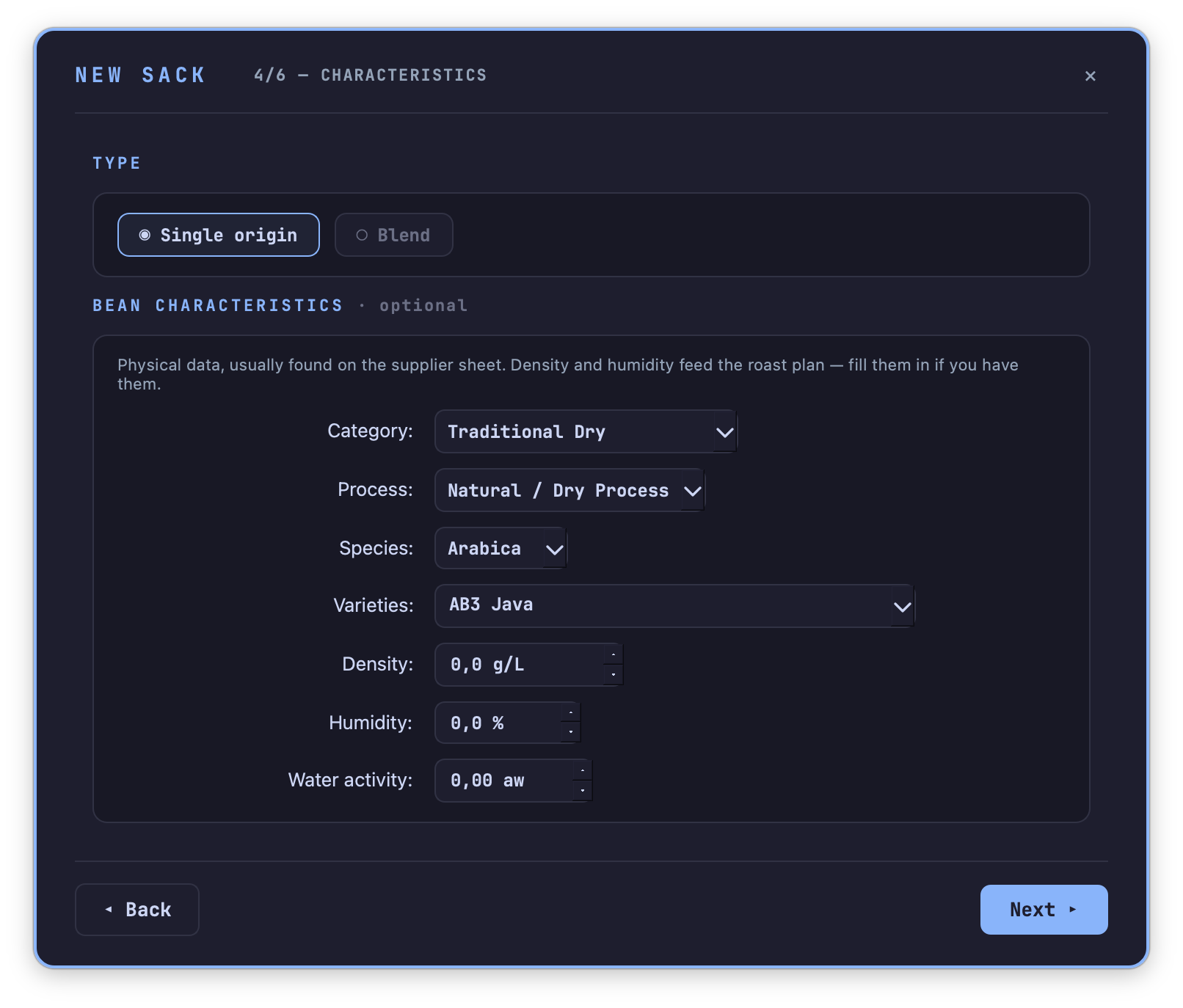
Provenance, characteristics, sensory notes — the same fields as the bean record itself, including water activity, skipped for restock and new crop as above.
Review closes the loop: one card per section, each with its own ✎ Edit to jump back without restarting, and a warning if a starting weight of 0 g is about to be confirmed. ✓ Create the sack writes the record and, if a label id was chosen, marks it assigned.
The next harvest of a coffee you already roast: “🌱 New crop”
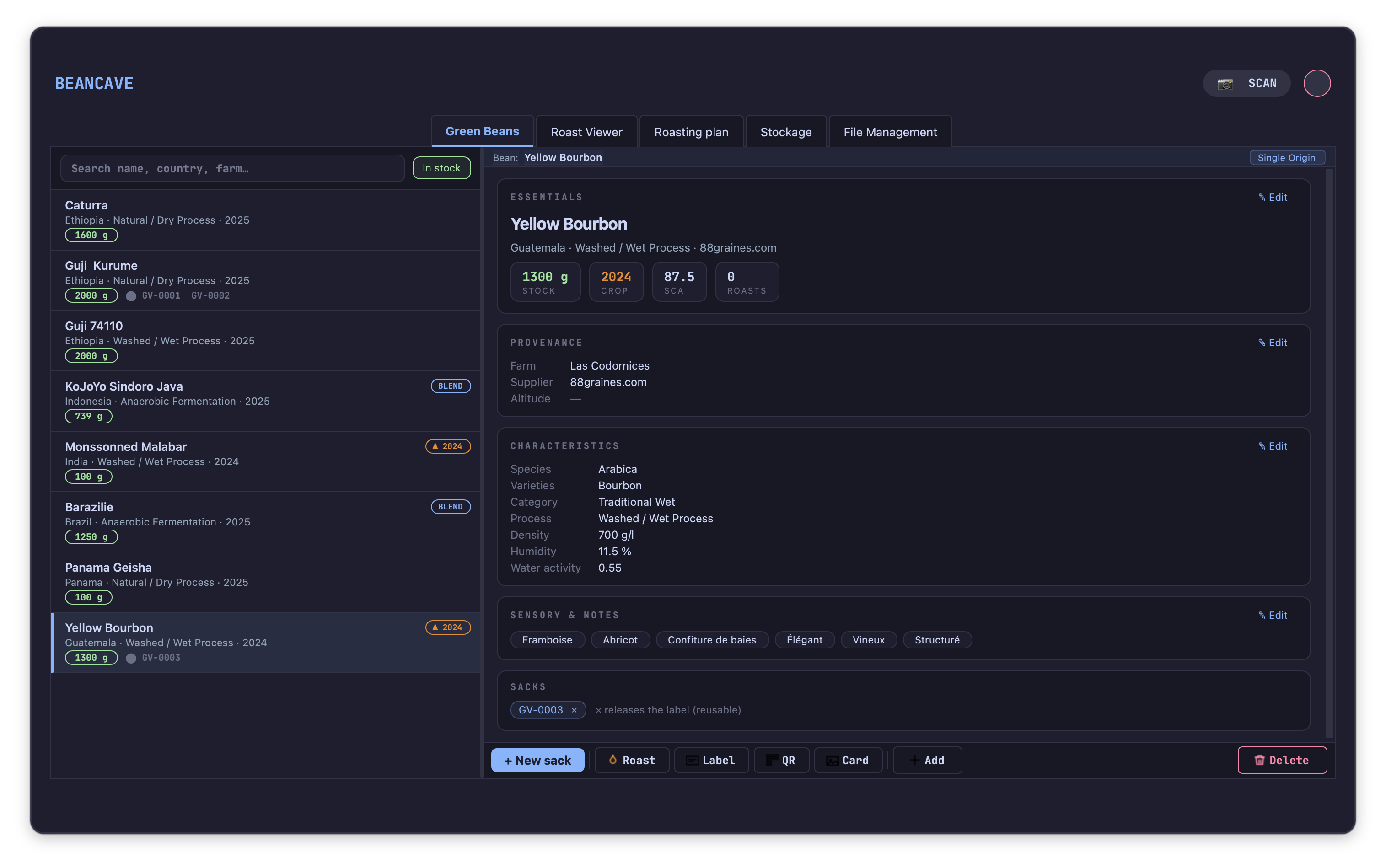
Select the coffee in the catalogue and press 🌱 New crop, on the Sacks line of its record. It opens the same assistant, already locked on that record and reduced to three steps.
A new crop is the same coffee from a different year. Its identity — origin, farm, altitude, process, species, variety, category, blend composition — is inherited as it stands and is shown at the top of the step so it can be checked at a glance. Its name stays the same; the harvest year is what tells the two records apart in the catalogue.
The new sack asks only what belongs to the new bag: harvest year (proposed as the year after the previous crop), weight received, the supplier, in case the same coffee came through a different one this time, and the price and screen size of this lot. Price and screen size are proposed from the previous crop — correct them if this harvest cost more or was graded differently.
The first plans of the new crop are not built from scratch: they take the previous harvest’s first crack, phase durations and drop temperature until the new crop has roasts of its own — see The roast plan.
Measured on this lot asks for density, humidity (moisture content) and water activity. These three start empty, on purpose: they are measurements of one bag, not properties of the coffee, and they change with every harvest. The previous crop’s value is shown beside each field for reference only. If they have not been measured yet, leave them empty — the review step says plainly that the roast plan will fall back on averages, and they can be filled in later from the bean record. Copy … values carries the previous crop’s three figures over in one click, for a supplier who does not publish new ones.
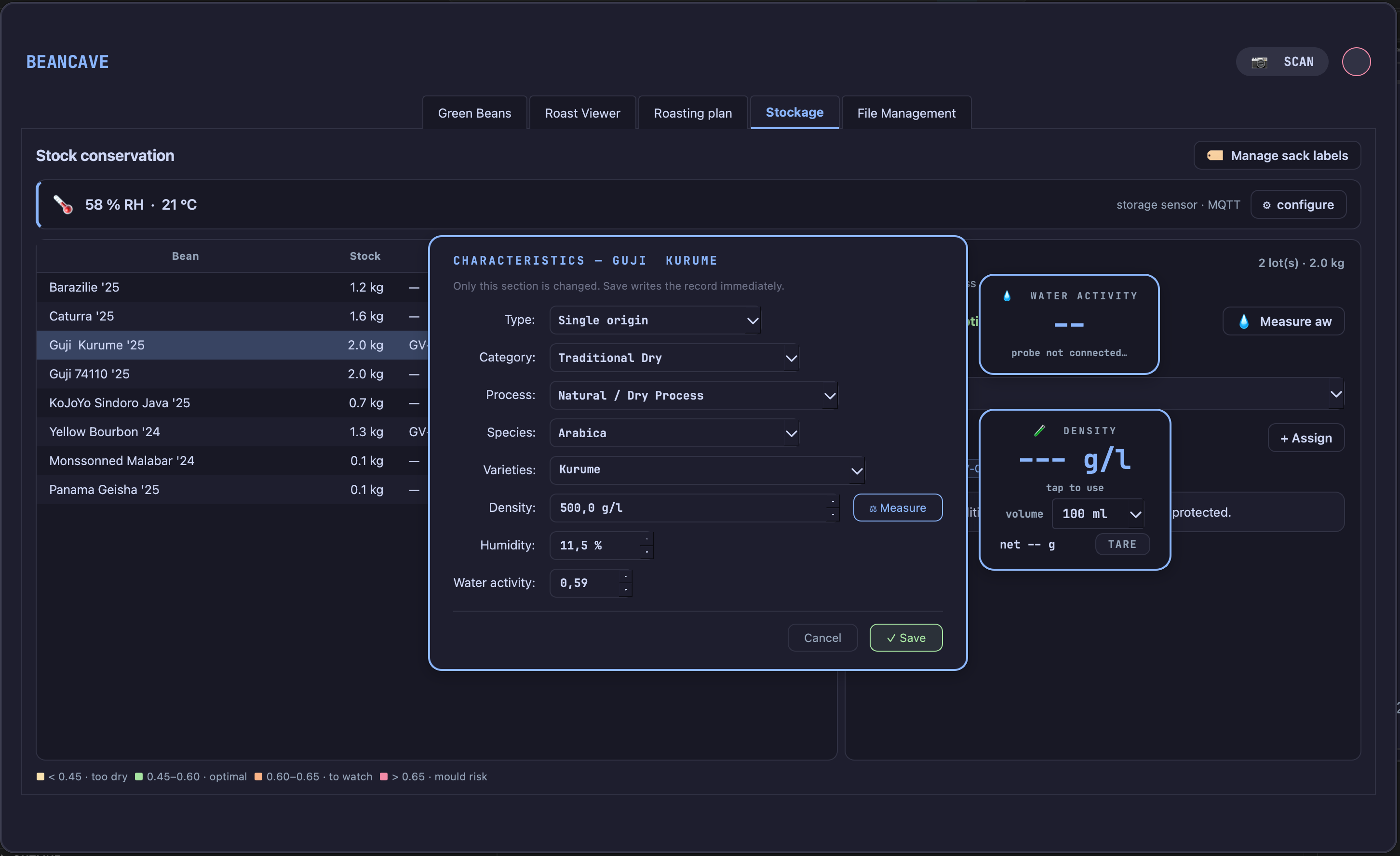
Density and humidity can be measured with a paired scale and a fixed-volume container; water activity can be read from an AquaGauge probe, whose live reading appears beside the step and transfers into the field on a click.
Sensory and score stays folded away. The previous crop’s flavour notes and score are carried over — open it to correct them, and to tick This crop replaces the previous one if the old bag is finished, which sets its stock to zero.
Brew dial-ins are not carried over: a recipe is tuned on one lot and does not transfer to the next.
The two remaining steps are the usual ones — sack identification, still skippable, and review.
Sack labels
A sack label is an id — printed on a small physical label, stuck to a bag — that lets a bag be identified at a glance or by a scan. It carries no information of its own beyond the id; what it points to is whichever coffee record currently holds it.
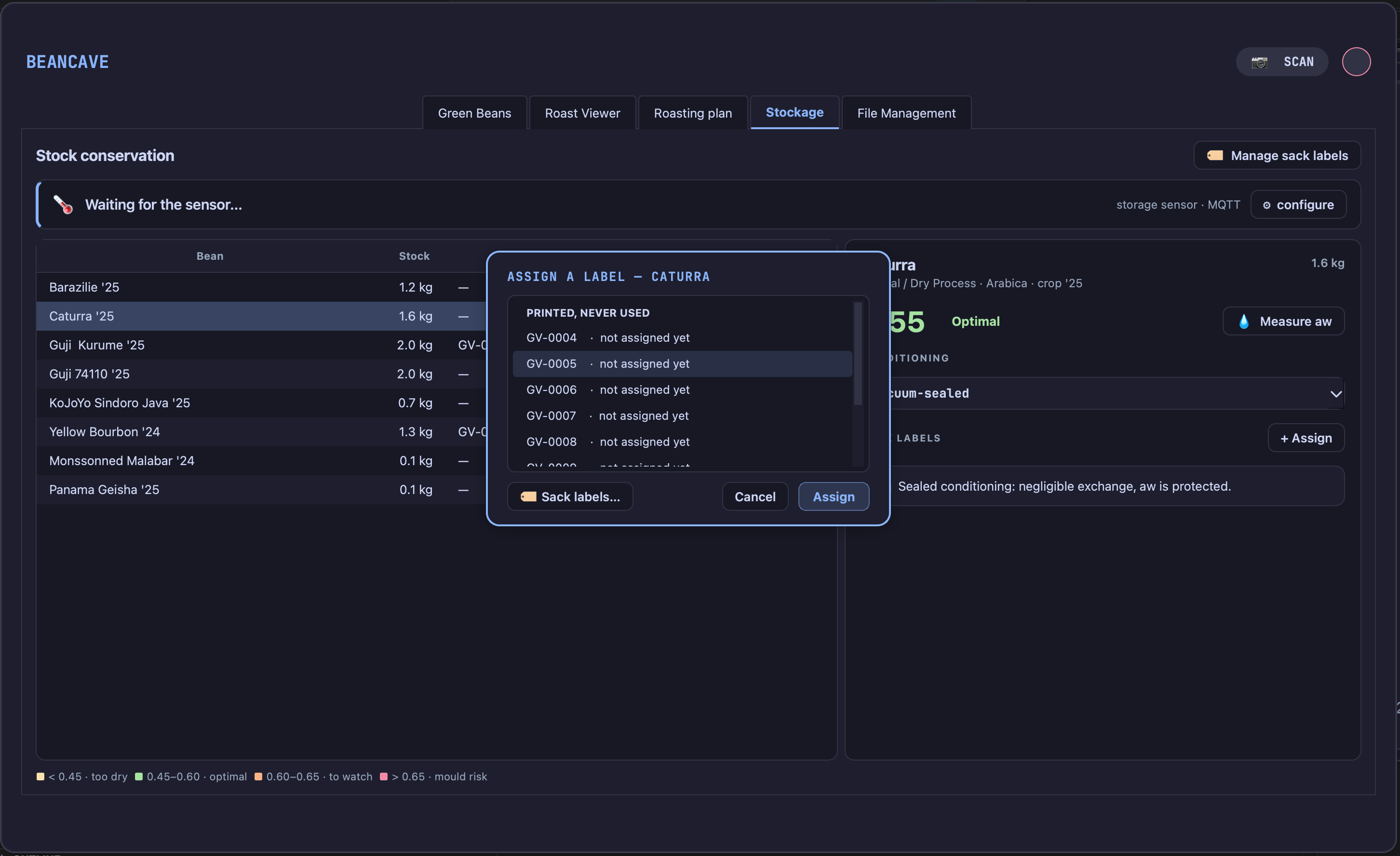
Attaching and releasing. Every place a coffee’s sacks are shown — the bean record, the Storage tab — shows them as small removable chips. Removing one asks Is this bag empty? first, unless that confirmation has been dismissed permanently, and returns the id to circulation rather than deleting it.
Assigning a label from the Storage tab. The Storage tab’s per-coffee panel offers + Assign, picking from currently available ids — recycled first — rather than typing one in freely, so a typo can never attach an id no printed label actually carries.
When a bag empties. The moment a coffee’s stock reaches 0 g while it still holds a label, TilauScope asks whether to keep the label attached or release it for reuse. Bags that reach zero without going through that prompt are not lost track of: the Storage tab keeps a standing notice of any label still attached to a coffee with no stock left, with one place to review and release them in bulk.
The label pool. Behind the scenes, labels are tracked as a pool: printed and assigned, printed and never assigned, or released and available again. New ids are handed out in sequence; released and unused ids are always offered first before a new one is minted, so the id space does not grow faster than the bags actually on the shelf.
!!! note Printing sack labels — a batch of new ids, a reprint, or registering an externally-printed one — and scanning one back open, are covered in Labels and QR, from the same tool this section’s ids come from.
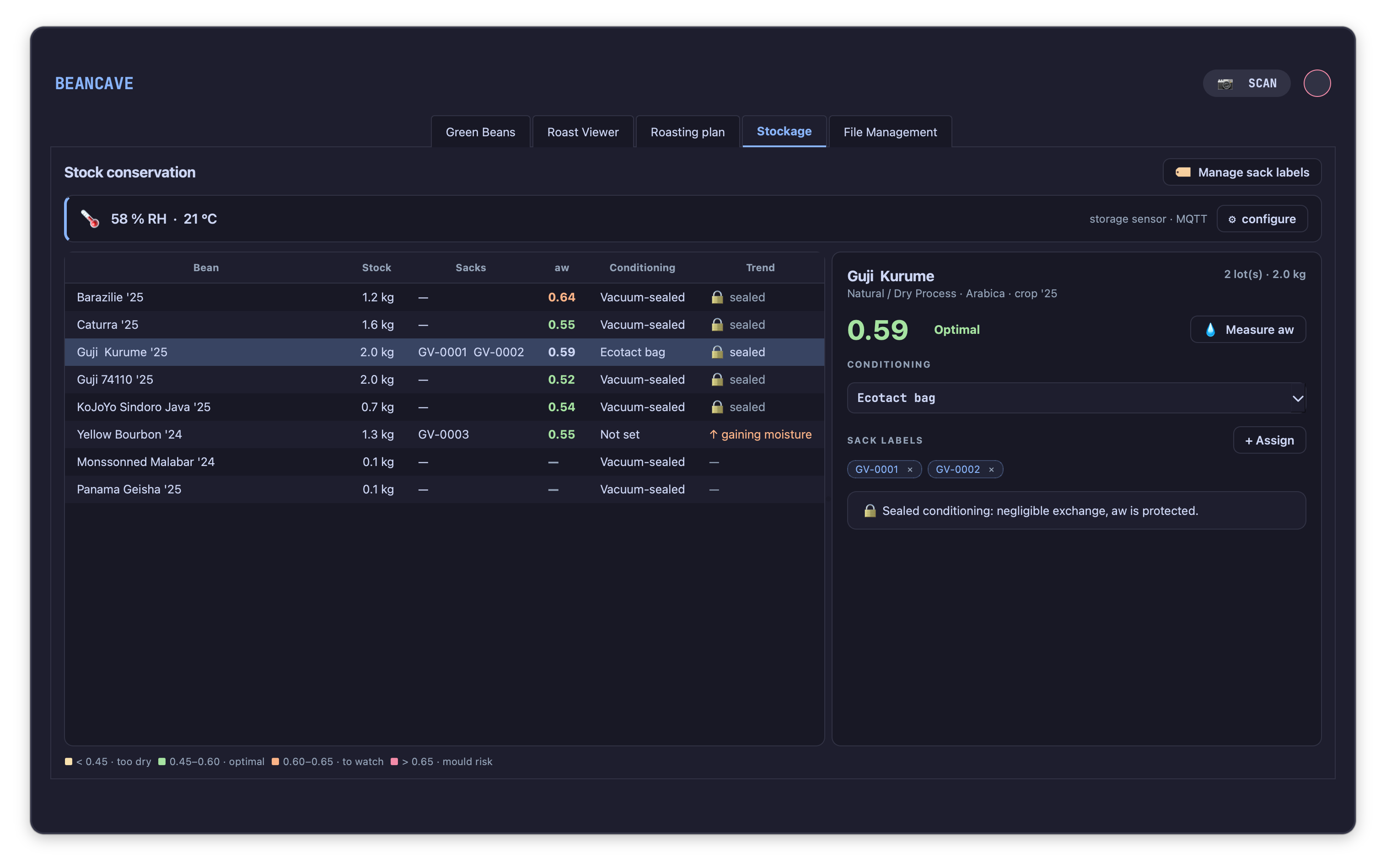
The Storage tab
BeanCave → Storage is a dashboard over every coffee currently in stock, sorted so the one needing attention soonest is at the top.
The bean list
Each row shows stock remaining, attached sacks, current water activity, conditioning, and a moisture trend indicator. Stock reads in kilograms, or in grams once only a residue is left, so a coffee holding a few grams is never shown as empty. A coffee leaves the list only when its stock reaches 0 g. Coffees are ordered by risk: mould risk first, then watch, then too dry, then optimal, then unknown.
Water activity zones
Water activity is read against four bands:
| Band | Range | Meaning |
|---|---|---|
| Too dry | below 0.45 | More fragile aromatics, faster staling. |
| Optimal | 0.45 – 0.60 | Normal safe keeping range. |
| Watch | 0.60 – 0.65 | Worth checking again soon. |
| Mould risk | 0.65 and above | Recondition or roast as a priority; aim to bring storage humidity below 60% RH. |
Conditioning and moisture trend
Conditioning — set per coffee from a short list (vacuum-sealed, valve bag, sealed jar, open cloth bag, and so on) — decides how a coffee’s moisture is expected to move. A sealed bag is read as holding its own water activity regardless of the room; an open bag, or a coffee with no conditioning set, is read as drifting toward the room’s humidity, and the trend indicator (gaining moisture / drying out / stable) follows that comparison.
!!! note A coffee with no conditioning recorded is treated as an open bag for this comparison, on purpose — a silent “unknown” would hide a real drift rather than flag one.
The panel also states a rough equilibrium moisture content for the current room conditions — a guide to what an open bag is drifting toward, not a calibrated reading of the bean itself.
Measuring water activity
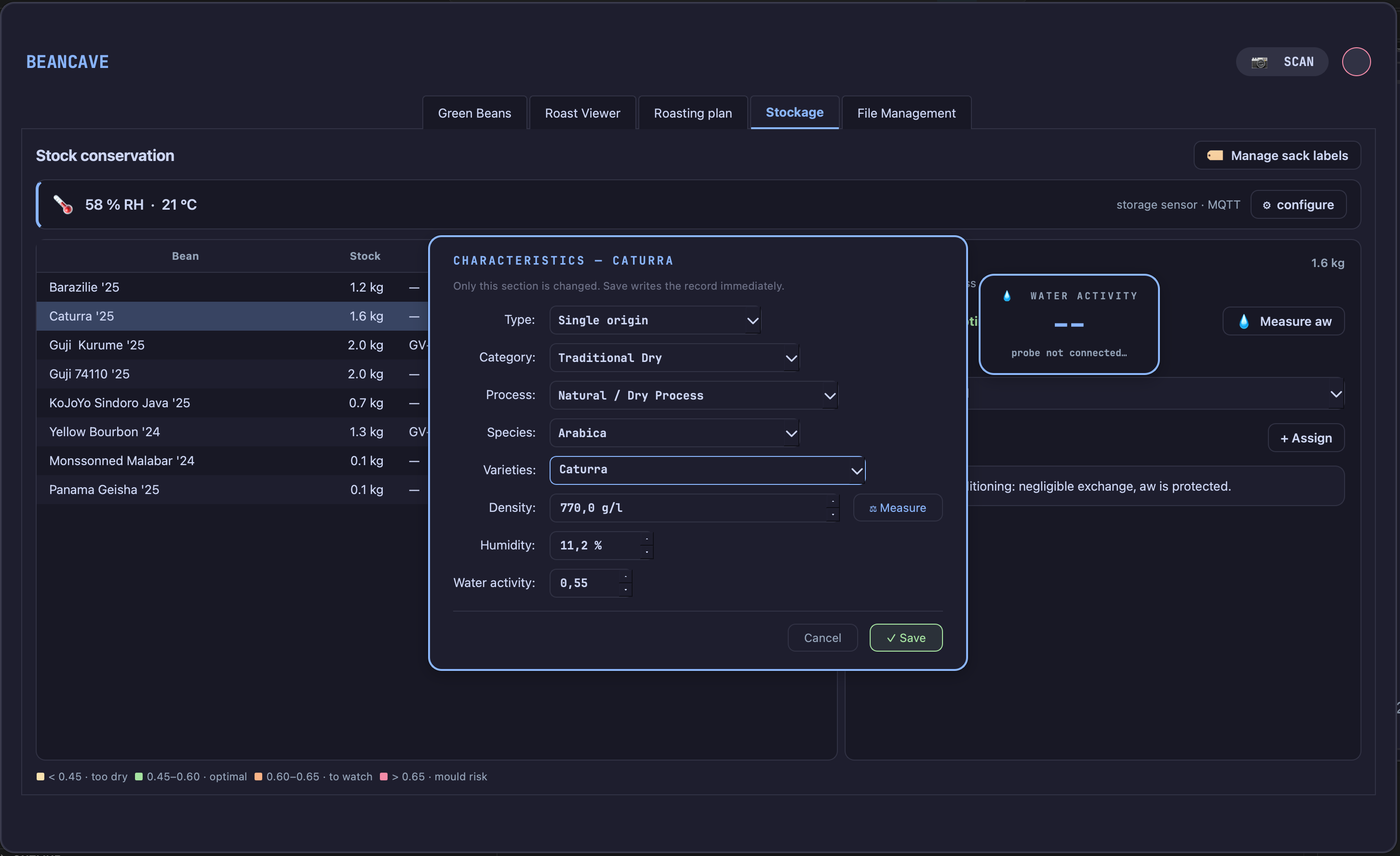
💧 Measure aw on a coffee’s panel opens its characteristics for editing, water activity field included. With an AquaGauge probe paired, a floating reading window appears alongside it — click the live value to drop it straight into the field.
Storage-room humidity
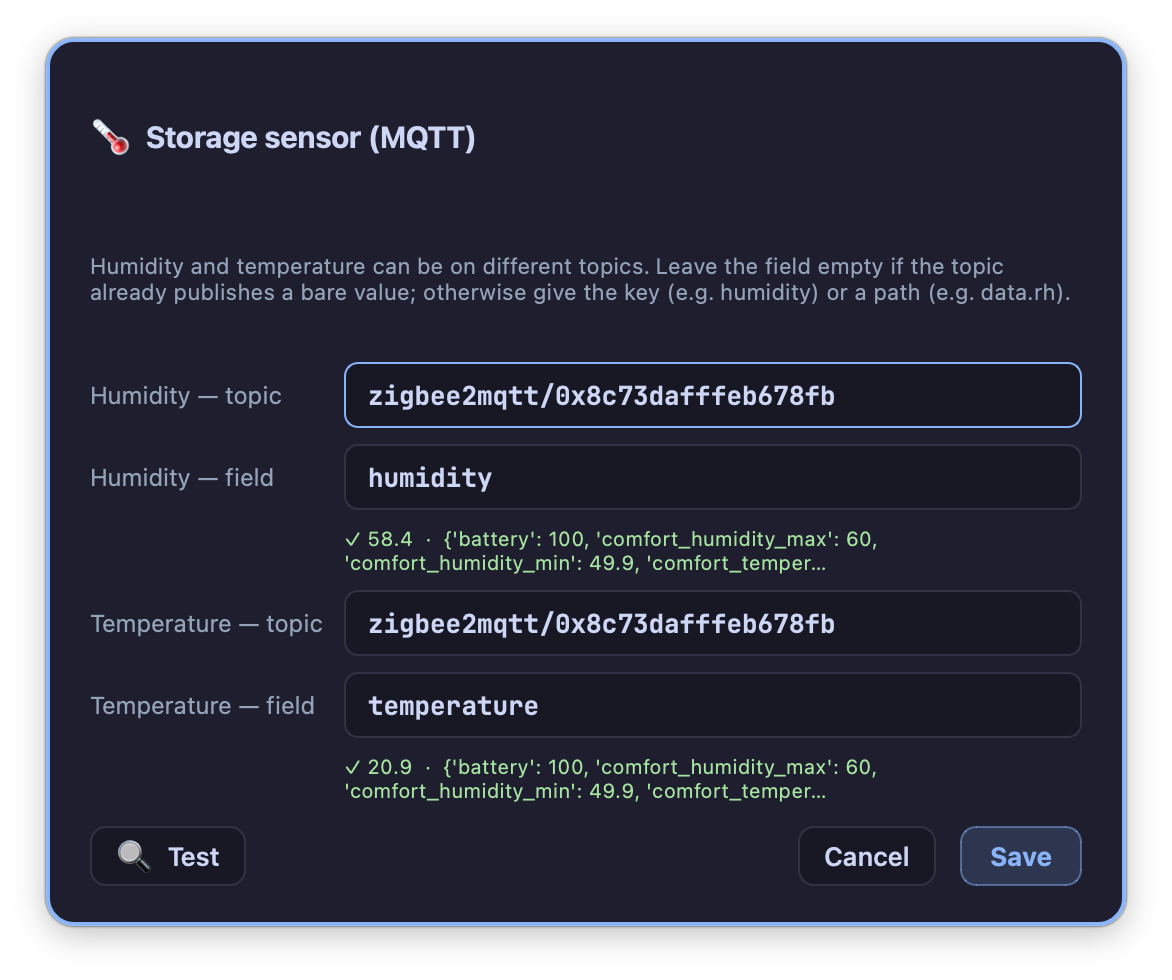
A banner at the top of the tab shows the storage room’s own humidity and temperature, where configured. This reading comes from a network broker rather than a paired probe directly — ⚙ configure sets which topic and value to read it from.
!!! info “Hardware — storage-room humidity” Any sensor able to publish its readings to the same network broker TilauScope already uses can feed this banner — a TilauAmbient unit set up for the purpose, or another MQTT-capable humidity sensor. It is independent of the ambient probe paired for roast day, which is not read here.
Next
- Printing and scanning sack, bean and roast labels: see Labels and QR.
- The bean record these bags belong to: see BeanCave.
- Any unfamiliar term: see the Glossary.